Content
Resolution, frame rate, motion and gradients influence what the LED processor must reproduce.
Choose the Uniview LED website that best matches your market or language.
A studio LED wall must work for both the people in the room and the cameras recording it. Pixel pitch, native resolution, refresh rate, brightness, screen geometry and camera settings all influence how professional the final image looks.
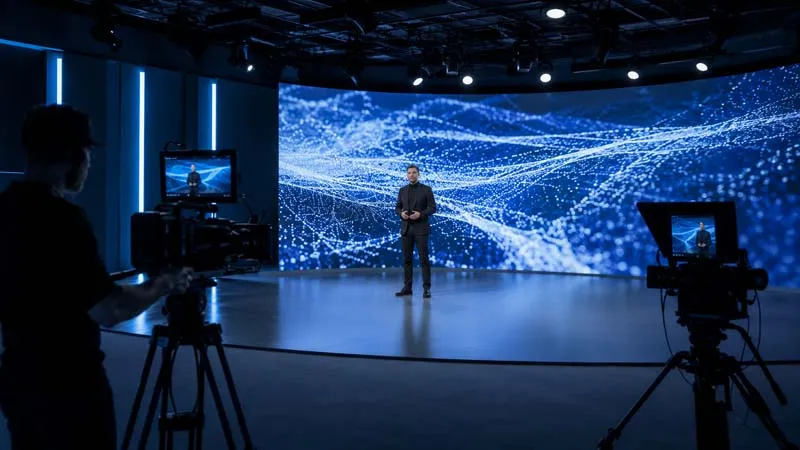
Modern corporate studios, livestreaming rooms and broadcast spaces frequently need to switch between interviews, product launches, presentations, training sessions and branded content without physically rebuilding the background.
A modular fine-pitch LED wall creates one continuous digital canvas. Unlike an LCD video wall, the image does not have panel bezels running through the content. Unlike a projected background, the image is generated directly by the display rather than being reflected onto a surface.
The advantage is not simply “higher resolution.” The correct system must combine suitable pixel pitch, sufficient native resolution, appropriate indoor brightness, camera-compatible refresh behavior, accurate calibration and a cabinet layout that fits the studio wall.
A refresh-rate number alone does not guarantee a clean image on camera. The LED processing chain and the camera settings must work together.
Resolution, frame rate, motion and gradients influence what the LED processor must reproduce.
Controller settings, receiving cards, scan mode and grayscale behavior influence display output.
Pixel pitch, refresh rate, brightness, calibration and cabinet alignment affect the image.
Shutter speed, shutter angle, frame rate and sensor behavior determine what the camera records.
Smaller pixel pitch increases pixel density and can improve close-range detail, but the correct choice depends on the nearest presenter, camera framing, wall dimensions and target resolution.
Higher refresh rates generally provide more camera headroom, but visible bands or flicker can still occur when the camera shutter, frame rate and LED scanning behavior are not properly coordinated.
A studio screen should not simply operate at maximum output. Brightness needs to be balanced with ambient light, camera exposure, presenter lighting and viewing comfort.
A fine-pitch wall is viewed closely, so cabinet alignment, module flatness, luminance uniformity and color calibration become easier to notice than on a long-distance display.
Physical backdrops are designed for one visual treatment. A modular LED wall allows the same room to move between brand graphics, product content, data visualization, videos and virtual environments without rebuilding the physical set.
This can be useful for corporate interviews, livestreaming, product demonstrations, internal training, webinars and executive presentations.
Content still needs to be created for the actual LED canvas. Native resolution, aspect ratio, camera framing and safe graphic areas should be defined during content planning.
Explore UHD Fine-Pitch LED →Current UHD models provide five pixel-pitch choices for indoor visualization projects. Select the model around required resolution, physical wall size, viewing distance and camera workflow.
Each technology can be appropriate. The right choice depends on screen size, camera use, room lighting, budget, viewing distance and whether visible panel boundaries are acceptable.
The technical priorities change by workflow, even when the same LED display platform is used.
Brand graphics, product content and presenters share one reusable digital set.
Close camera framing makes pixel pitch, calibration and background detail important.
Large visuals, specifications and video content can change with each presentation segment.
Refresh behavior, shutter testing, grayscale and accurate calibration require commissioning.
Digital scenery can replace repeated physical background changes for multiple content formats.
Fine detail, continuous operation and front maintenance can also support monitoring environments.
Screen specification, physical installation and camera workflow should be planned together rather than treating the LED wall as a decorative backdrop.
Define available wall dimensions and the active image area required by the camera.
Confirm whether the complete LED wall needs Full HD, 4K or another native pixel matrix.
Presenter position, close-up framing and audience distance help narrow pixel pitch.
Share camera frame rates, common shutter settings and any slow-motion requirements.
Studio lighting and uncontrolled daylight affect operating brightness and exposure.
Confirm wall mounting, floor standing or hanging as well as front-service clearance.
Use the product and engineering guides below to move from application requirements to a practical display specification.
Practical answers for corporate studios, livestreaming rooms, broadcast spaces and professional indoor production.
Start with the closest normal viewing and camera distance, required screen dimensions and target native resolution. Smaller pitch provides greater pixel density, but the smallest available pitch is not automatically the best commercial choice.
Not by itself. Higher refresh rate generally provides more camera margin, but shutter speed, frame rate, scan behavior, processor settings, brightness and calibration also affect the recorded result.
Current UHD1.2, UHD1.5 and UHD2.0 models are specified at 3,840 Hz. UHD2.5 and UHD3.0 are specified at 7,680 Hz. Confirm the exact approved configuration before ordering.
These are indoor output levels used by current UHD models, but final operating brightness should be commissioned around studio lighting, camera exposure and viewer comfort rather than running the display continuously at maximum output.
Fine-pitch LED is useful when the project requires a large modular canvas without LCD-style panel bezels, flexible screen dimensions and close-viewing options. LCD may still be practical for smaller, standardized or budget-led installations.
The current UHD platform supports full front maintenance, allowing modules and service components to be accessed from the viewing side. The mounting structure and safe working clearance still need to be planned for the actual room.
Provide screen width and height, target resolution, closest viewing distance, camera type and frame-rate requirements, ambient lighting, installation method, operating hours and available service access.
Send Uniview LED your available wall dimensions, target resolution, closest viewing distance, camera workflow, ambient lighting conditions, installation method and project location. Our team can help narrow the appropriate fine-pitch LED configuration.
