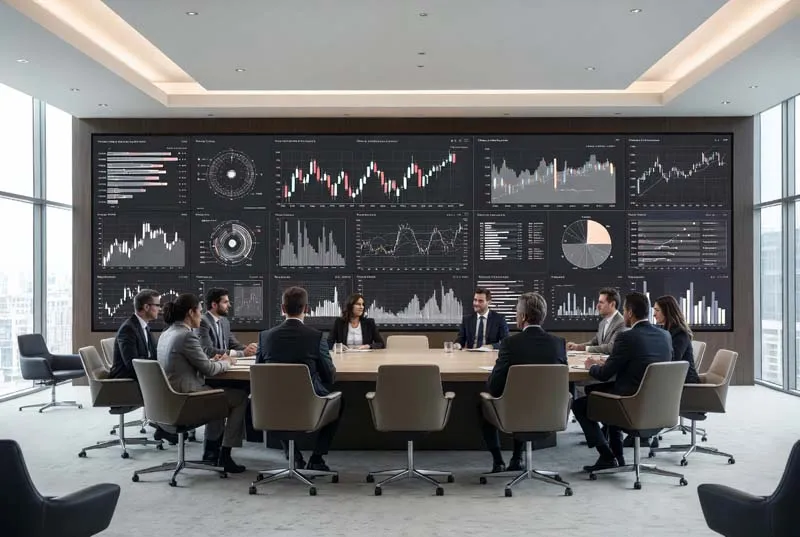
Prepare
Load presentations, dashboards, documents and collaboration sources.
Choose the Uniview LED website that best matches your market or language.
A meeting-room LED wall should make documents, spreadsheets, presentations and remote participants easy to see from every important seat. The practical design starts with viewing distance, wall dimensions, target resolution, content format and AV integration—not with pixel pitch alone.
Meeting rooms are different from auditoriums and large event spaces. The audience usually sits much closer to the display, and the content often contains small text, financial tables, charts, product details and shared computer interfaces.
That makes pixel density and native resolution more important than simply building the largest possible screen. Fine-pitch LED lets designers create a large modular display while maintaining enough pixels for detailed close-range content.
LED also removes the fixed bezel grid of an LCD video wall. This can be useful for boardrooms where presentations, video conferences and company content need to share one continuous visual surface.
An executive meeting room changes roles throughout the day. The screen may move from presentation to video conference, data review, product demonstration and management briefing within a single session.
Load presentations, dashboards, documents and collaboration sources.
Display slides, product content and financial information at readable scale.
Bring remote participants and shared documents into the room.
Show multiple data sources or proposals at the same time.
Keep the most important information visible while teams discuss next actions.
Service the display without compromising the finished meeting-room architecture.
A promotional video is relatively forgiving. A financial spreadsheet is not. If participants need to read small numbers, legends, chart labels or interface controls, the wall needs enough native pixels to reproduce them at the intended size.
The closest regular seating position should therefore be measured before pixel pitch is finalized. Smaller pitch increases pixel density within the same physical area, but it also changes project cost.
The practical target is not “the smallest possible pixel pitch.” It is enough pixel density for the closest important viewer and the real meeting content.
Calculate From Viewing Distance →Wall dimensions alone do not define the LED display. Seating depth, table position, sightlines and camera placement determine how the screen is actually experienced.
Define usable active width and height after furniture, doors and architectural finishes.
Use the closest normal participant position, not an occasional standing position.
Confirm text and video remain useful across the full seating depth.
Avoid creating a room where the LED wall blocks practical camera or speaker placement.
Product videos, spreadsheets and remote participants do not place the same demands on the display. Evaluate the most demanding content before choosing the final LED configuration.
Slides, diagrams, product images and standard office presentation content.
Small numbers, tables, financial models and dashboard labels require more fine detail.
Remote speakers, shared screens and presentation windows often appear simultaneously.
Side-by-side proposals, data sources or collaboration tools increase resolution demand.
A hybrid meeting may need to show remote participants, shared presentation content, room cameras and supporting documents at the same time. The usable canvas therefore depends on both physical screen size and native resolution.
Camera position also matters. If the camera sits too far above or beside the main content, remote participants can experience unnatural eye lines during conversation.
Audio, cameras, conferencing platforms, processors and the LED control system should be planned as one AV environment rather than as separate purchases.
Most presentation, conferencing and video content already follows 16:9. A cabinet architecture based on the same ratio makes standard-resolution wall planning easier.
16:9 works naturally with common presentation and conferencing sources.
Cabinet quantity and pixel pitch determine whether the finished wall reaches Full HD, 4K or another native resolution.
Cabinet depth and structure need to be included in the interior design before construction.
Front-access service is useful when a finished wall leaves little or no rear service aisle.
Current UHD models provide five pixel-pitch options for close-view indoor applications including conference rooms, boardrooms and collaboration spaces.
The same UHD platform can support multiple corporate environments, but the screen dimensions, resolution and content workflow should follow the room.
Close seating, financial content, presentations and premium architectural integration.
Remote participants, shared documents and collaboration tools on one large visual canvas.
Detailed educational material, diagrams, video and multi-window teaching content.
Meetings, internal broadcasts, launches and presentations share the same installed display.
Display performance and interior design should be coordinated together: wall depth, service access, sightlines, cameras and cabling all affect the finished room.
A useful quotation requires more than a target pixel pitch. Send the room conditions that determine the finished system.
Required display width and height plus available architectural wall dimensions.
Measure from the nearest regular participant seat to the LED display surface.
Confirm whether native Full HD, 4K or another pixel canvas is required.
Presentations, spreadsheets, dashboards, CAD, video or multi-window content.
Include cameras, source devices, room controller and video-conferencing requirements.
Provide available wall depth and confirm whether rear service space exists.
Destination affects logistics, documentation, installation planning and support routing.
Move from room requirements into pixel-pitch selection, product comparison, application planning and quotation.
Practical questions for boardrooms, hybrid meeting spaces and corporate AV projects.
Choose pixel pitch from the closest regular viewing distance, physical wall size and required native resolution. Smaller pitch gives more pixels in the same area, but it should only be specified when the room and content benefit from that additional density.
Not always. Native 4K can be useful for large amounts of detailed content, but the required resolution depends on screen size, viewing distance, source content and budget.
Presentation, video-conferencing and standard video sources commonly use 16:9. A 16:9 cabinet architecture makes Full HD, 4K and similar layouts easier to calculate without creating an unusual finished wall ratio.
Fine-pitch LED is useful when a large seamless canvas and flexible physical size are important. LCD may remain suitable for smaller or budget-driven rooms. The correct choice depends on viewing distance, dimensions, resolution, maintenance and total project requirements.
Yes. The UHD series uses a 16:9 architecture suited to standard presentation and video-conferencing content. Camera, audio, processor and room-control integration still need to be designed around the complete conferencing workflow.
It can be very useful when the LED wall sits close to a finished architectural wall. Front maintenance allows display components to be serviced from the viewing side without requiring a full rear service corridor.
Send the active screen dimensions, available wall size, closest viewing distance, desired resolution, typical content, video-conferencing requirements, installation depth and project location.
Send Uniview LED your screen dimensions, closest seating distance, target resolution, typical content, conferencing requirements, wall depth and project location. The project team can help narrow the practical UHD model and display configuration.
